Note: the piece tree and the game that freezes at any step
A short note from stage 2, about deliveries 1 to 4. The numbers are provisional, measured on my PC.
From now on, each delivery gets a post. This one gathers the first four, which came before the level format.
 (opens in a new tab)
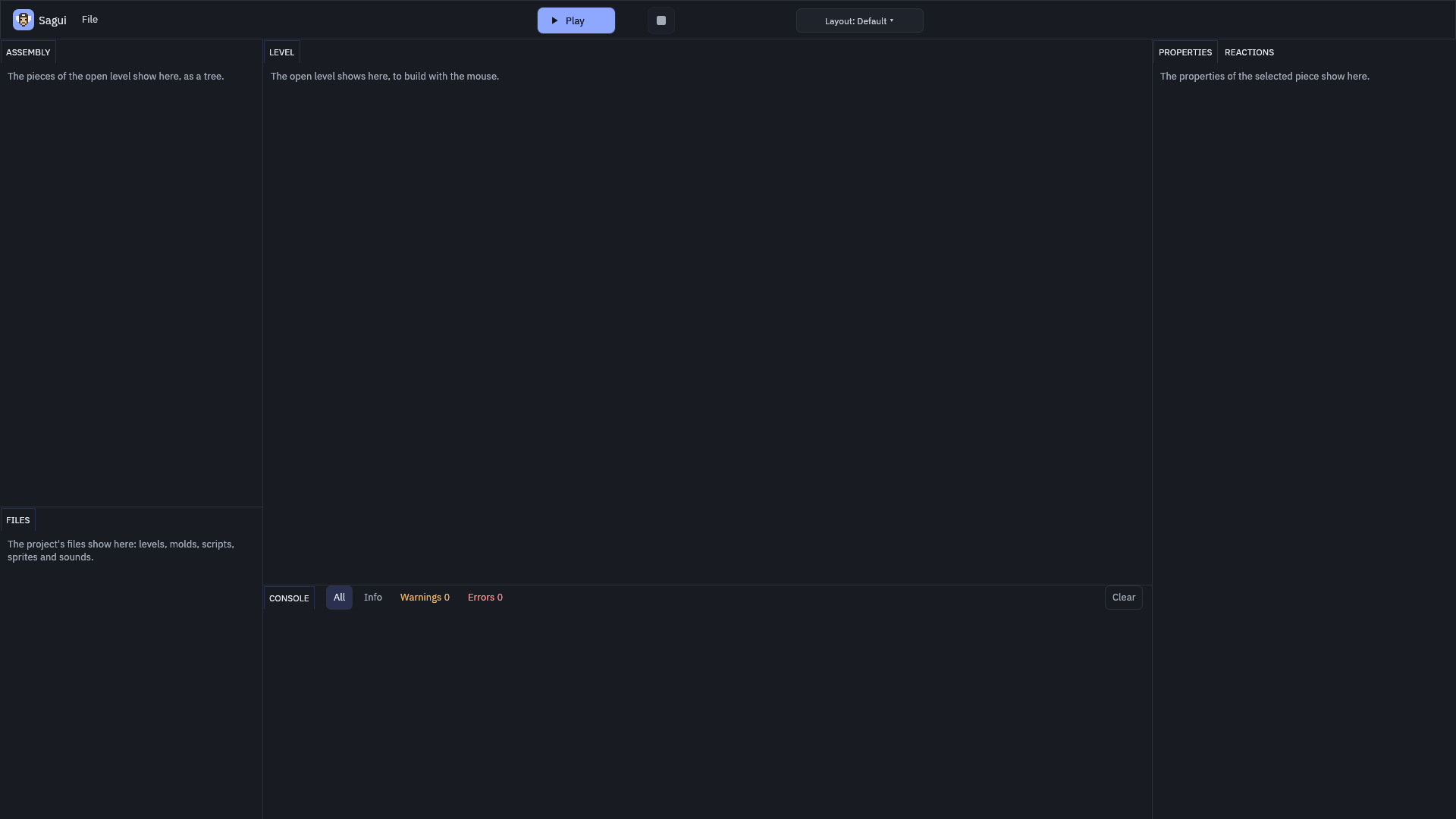
The editor matching its design (delivery 1)
Small fixes so the editor matches the mockup, the drawing of how it will look. The layouts menu (the ways of arranging the panels on screen) marks the one in use, the Console's filters (the list of the game's messages) moved up into its header, and the logo became Sagui's little face in pixel art, drawn with visible little squares, as in old games. The logo's drawing lives in the same file that keeps the engine's name: changing the brand changes the drawing.
 (opens in a new tab)
The stage's yardstick (delivery 2)
Every delivery now produces an automatic report. For each criterion, it gives the measured value, the limit and the margin, not just "passed". For example, stage 1's test step, with 5,000 squares, took 0.066 ms, against a limit of 0.5 ms on my PC (a ms is a thousandth of a second).
The piece tree (delivery 3)
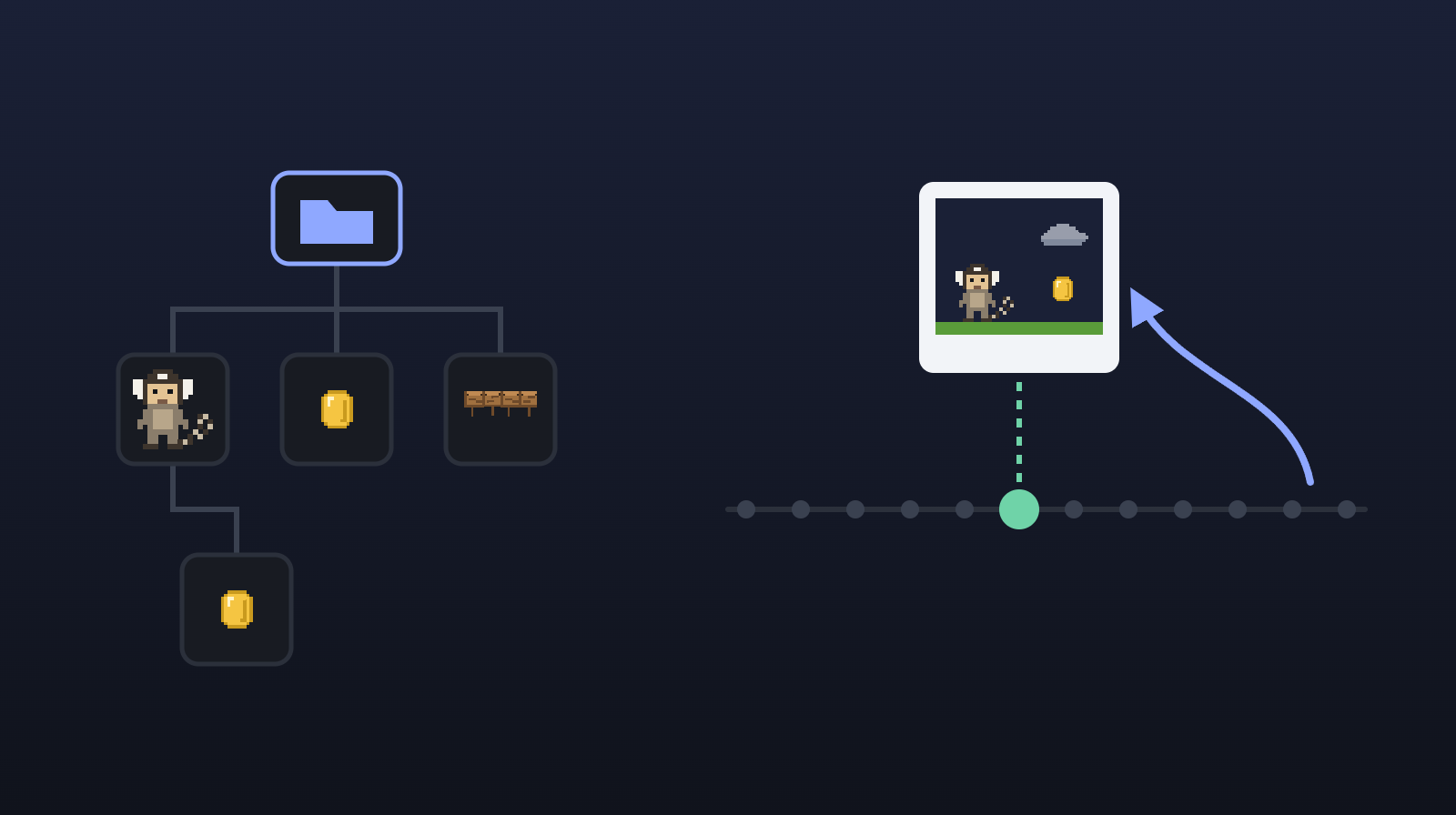
Everything in the game is a piece: the player, the coin, the ground. Now a piece can have children, like folders inside folders: the sword held by the player moves, turns and disappears with the player. This tree is called the Assembly (the scene tree of other engines).
Every new level comes with four layers, like stacked transparent sheets: Background, World, Front and Interface. Within a layer, pieces can be ordered by their height on the screen, as in a group photo: whoever stands lower comes in front.
 (opens in a new tab)
With 5,000 pieces, nested 8 levels deep, a game step takes at most 0.134 ms 95% of the time (the p95). And 2,000 images go to the graphics card in a single request (one draw call).
The tester, a checker who took no part in the work, found a curious case: creating 2,000 pieces with the same name took 3 s, because each new name ("Enemy 2", "Enemy 3"…) was compared with all of its siblings. Now it takes 0.7 ms.
Freezing the game at any step (delivery 4)
The game moves in fixed steps, 60 per second (or 120, if the project chooses). Now it can take a snapshot of everything the game remembers at a step (the state), save it to a file and carry on from there later, with exactly the same result as if it had never stopped. With 5,000 pieces, the snapshot takes 0.234 ms, and the file is 822 kB.
To know whether two runs came out the same, the engine compares a hash: a short summary of all the data, which changes if a single bit changes (the smallest unit of data, a 0 or a 1), like the check digit of a credit card number. The hashes come out the same on Windows, Linux, macOS and wasm, the program format browsers use. That is determinism: the same inputs always give the same result.
The tester flipped one bit in the middle of a state file, and the engine loaded it without complaining. Now the file keeps its own hash, and a damaged file is refused.
This is not "saving the game" yet: for now, it is a testing tool, run from the command line (commands typed in a terminal, with no window). Game saves come in stage 11a.
What comes next
The next post covers delivery 6: molds, copies and the Active switch.