Stage 0 devlog: prove the hard parts before building
The numbers are provisional: I measured them on my PC, and the official ones will come from a modest laptop that has not arrived yet.
Sagui is a 2D game engine, that is, a program for making games. It comes with its own language, SaguiScript, which tells each thing in the game how to behave. Before building the real engine, I did stage 0: five small tests, which I call proofs, each one tackling one of the project's biggest risks. The proofs' code goes in the bin. What stays is what I learned: the measured numbers, what worked and what changed in the plan.
I make Sagui with the help of Claude, an artificial intelligence: it writes the code and takes the measurements, and I review, play and decide what goes in. The five proofs were done between October 11 and 12, 2026.
Why "provisional"
Sagui's targets are for a modest machine: a 2018 laptop with an i5 processor and no separate graphics card. If it runs well there, it runs well on most computers. That laptop has not arrived yet, so I measured on my PC, which is much faster. To make up for it, on the PC a proof only counts as "probably passes" if it uses at most half of the time allowed.
Two words show up a lot:
- Step: the game recomputes the world (who moved, who hit whom) 60 times per second, always at the same pace. Each recomputation is a step.
- Frame: each picture drawn on the screen. The screen shows 60 pictures per second, so each one must be ready in about 16 thousandths of a second (ms). If a picture takes longer, the screen "stutters" for a moment.
The five proofs
1. The jump
The risk: a platformer lives or dies by its jump. On top of that, I want the same game, played by pressing the same buttons, to end exactly the same on any computer. That makes it possible to record a match and watch it again, to save halfway and, one day, to play online.
The result: a recorded 60-second match ends the same on Windows, on Linux (another system, like Windows) and in the browser, at 60 or 120 steps per second. Saving halfway, closing the program and carrying on in another one also gives the same ending. The three ways of jumping (Precise, Smooth and Heavy) were tuned by playing. Computing the movement and the collisions of 200 objects takes 0.023 ms per step, and the limit on the PC was 1 ms.
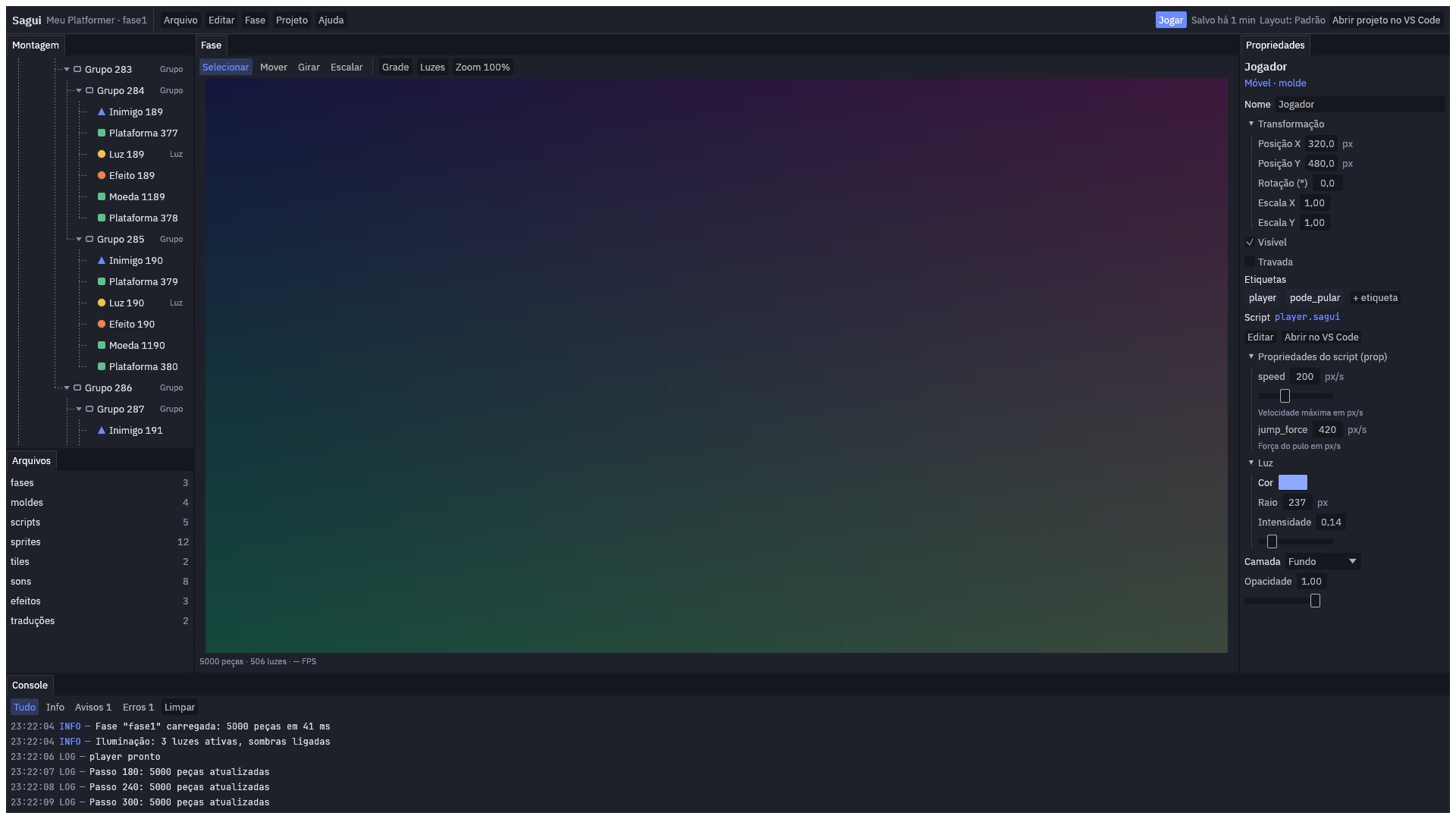
2. The editor with 5,000 pieces
The risk: the editor, the program where people build their game, getting slow when a level holds a lot.
The result: I tested with 5,000 pieces, and every platform, enemy or coin in a level is a piece. Scrolling the list, selecting, dragging values, typing and opening groups, 99% of the frames were ready in under 2 ms, against the 16 ms allowed. None went over 33 ms, the time of two frames.
 (opens in a new tab)
3. The language's speed
The risk: SaguiScript being too slow for games with a lot going on at once.
The result: 5,000 pieces, each with its own small program, take 0.29 ms per step, and the target is 4 ms. A "watchdog" stops a program stuck in an endless loop, like a "repeat forever" written by mistake, so the game does not freeze. It made nothing slower, so it stays on all the time. In the browser, the language takes 1.5 times as long as the program installed on the computer, which is enough for the site where people will learn SaguiScript.
4. Graphics on modest computers
The risk: compatibility mode being too slow. It is the way of drawing that works on old graphics cards and in the browser.
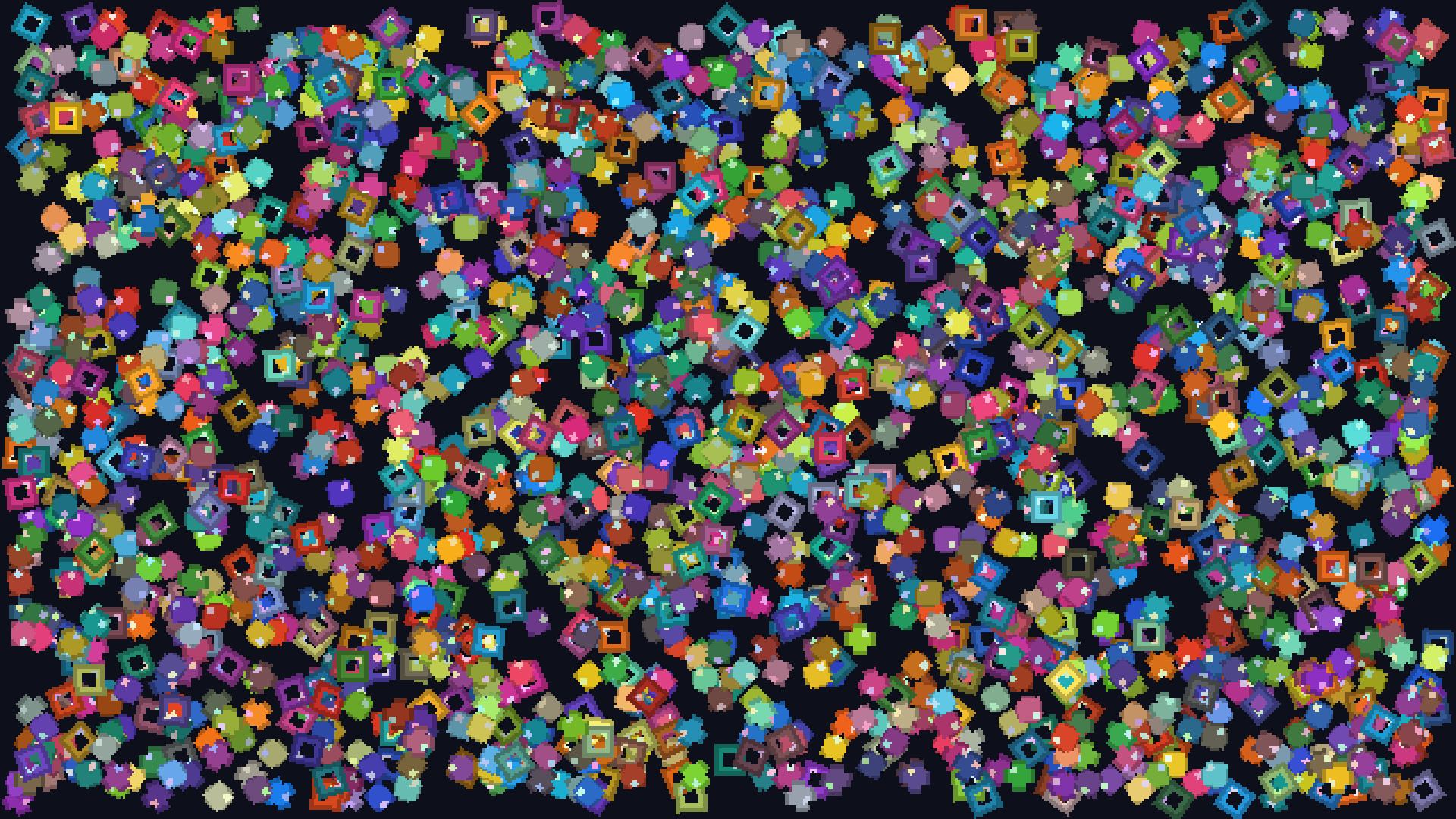
The result: 2,000 sprites, the pictures of characters and objects, are drawn with a single request to the graphics card, which saves a lot of time. In Chrome, over 3,600 frames in a row (one minute), none was late. The measurement in the installed program waits for the laptop: on my PC, the monitor is plugged into the other graphics card, and the picture takes a detour the laptop does not have.
 (opens in a new tab)
5. Playing without bringing the editor down
The risk: an error in the game closing the editor too and taking the creator's work with it.
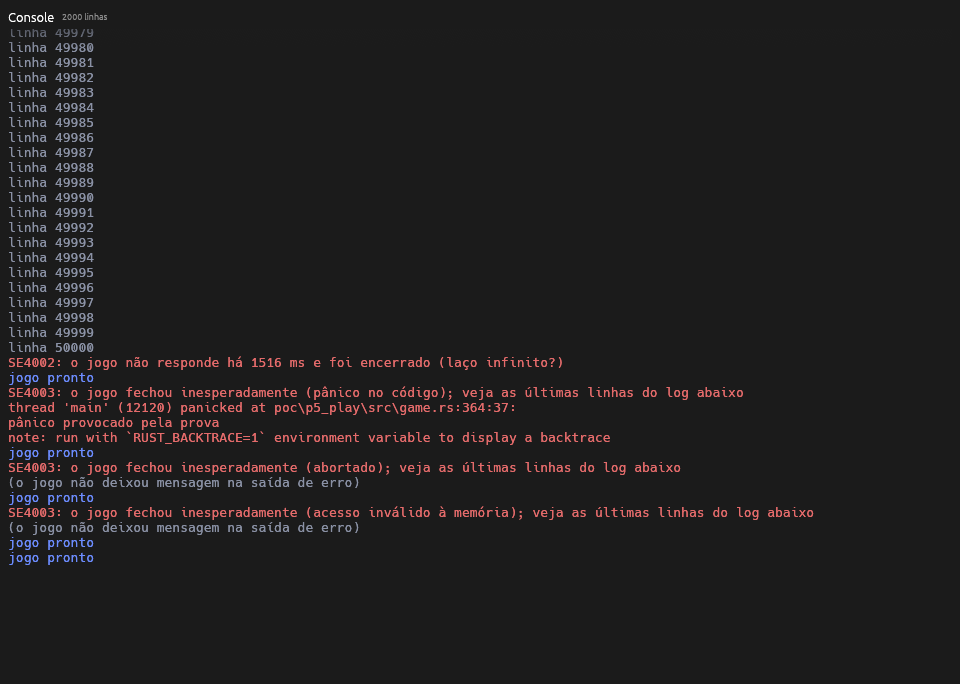
The result: when you press Play, the game opens as a separate program that talks to the editor. All 13 targets were met:
- Frozen game: the editor notices within 1.5 seconds and closes only the game.
- Crashing game: the editor notices in under a tenth of a second and shows a message with the reason.
- Reopening: the game is back in 10 ms.
- Game messages: 10,000 messages per second reach the editor's panel without losing a single one.
- 20 crashes in a row: no copy of the game was left running, and the editor did not start using more memory.
 (opens in a new tab)
What went wrong (and how I fixed it)
- The leak that wasn't there. The editor seemed to use a little more memory every time the game crashed, which over time would slow the computer down. After a long search, the bug was in the sum that measures memory: it counted one part twice. With the right sum, memory stayed flat.
- The editor without letters. In proof 5, the screenshot the test takes on its own showed the editor with no text at all: the files with the letters' shapes were missing. The automated tests did not catch it, because they check buttons and text through the screen's description, not through the picture. The lesson: look at the pictures too, not only at the tests.
- The 50 ms stutter. In the editor proof, one frame took 50 ms, three times the normal time, and the screen stuttered for a moment. It happened only once, always right after the window opened. I first suspected the letters, which are prepared the first time they show up. After eleven test runs, everything points to Windows' window-opening animation, not the editor. The fix was to wait 1 second with the window open before starting to measure.
- Outside code rejected. The editor used ready-made code, written by other people, to arrange its panels in tabs. It depended on other code that nobody maintains anymore, and it failed the automatic check I run on everything that comes from outside. I swapped it for another one that does almost the same.
- The test computer out of space. On every change, the tests run on their own on a GitHub computer, GitHub being the site where the code lives. That computer ran out of disk space. I freed space by deleting programs the project does not use, without making the tests slower. I also cut the time they take, because the free plan gives 2,000 minutes of tests per month.
- The freeze arithmetic. The plan said the editor would notice a frozen game between 1.5 and 1.75 seconds. The right answer is between 1.25 and 1.5 seconds, because the game says it is alive every quarter of a second, and its last message may have gone out a little before it froze. That gave the engine a rule: this message will come from a part of the program that does nothing else, so that loading a big level of the game does not look like a freeze.
What is left
- The laptop: the official numbers of every proof, proof 4 in the installed program and my own manual check, in Chrome and in Firefox.
- Targets that are too loose: almost every target had more than 80% to spare on the PC. I will review them after the laptop's numbers, so as not to tighten or loosen them blindly.
Since the evening of October 12, the automated tests also run on a Mac, on every change that goes in.
With that, stage 0 is closed until the laptop arrives. Stage 1 starts from scratch, with the engine's overall design already decided and with what I learned here: first I write down what each part must do, then comes the code, and each delivery only ends with the tests passing.